Manage your apps without losing context
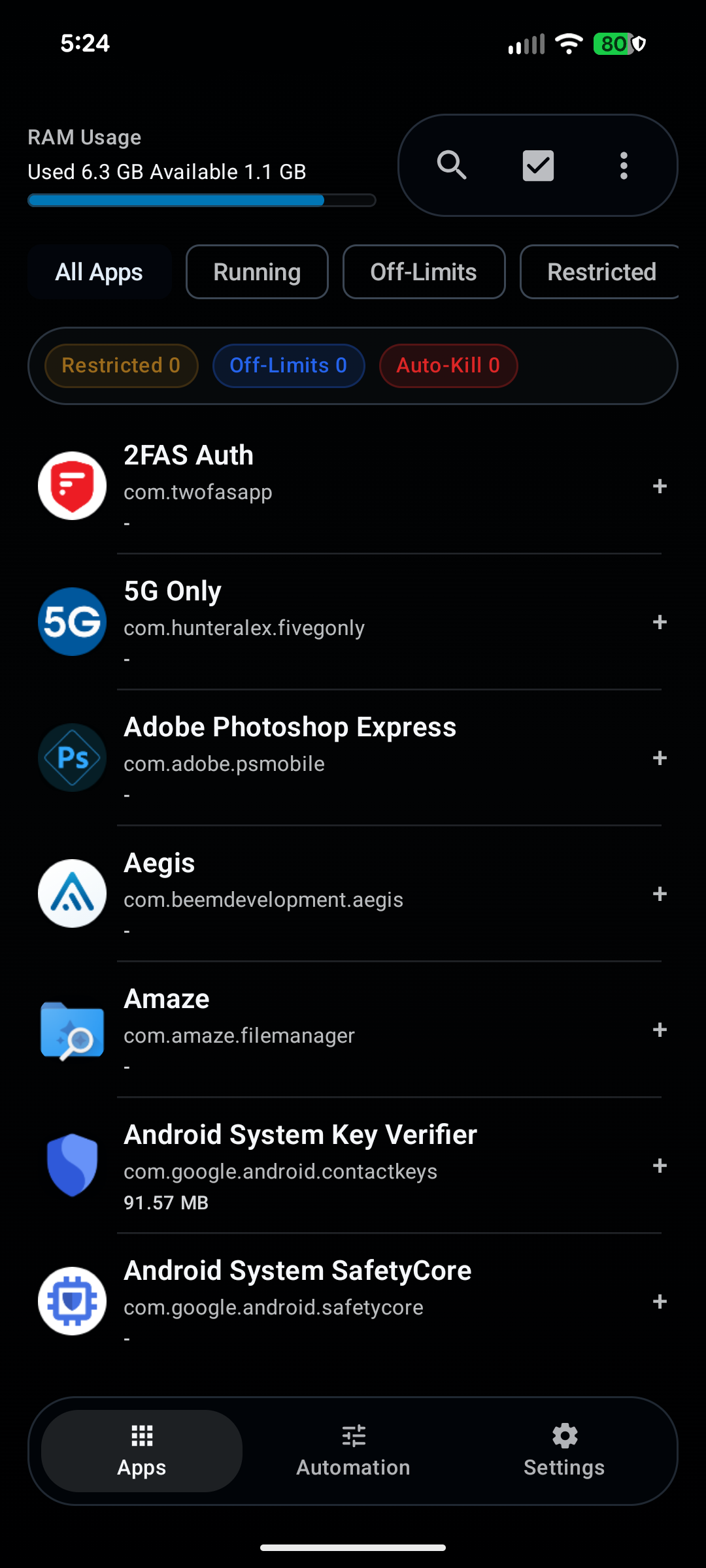
Search, sort, and multi-select installed apps while keeping the list stable. Move between all apps, running apps, off-limits apps, and restricted apps without bouncing through buried menus.
 Process Warden
Root & Shizuku background app manager
Process Warden
Root & Shizuku background app manager
For Root and Shizuku users
Process Warden is not a fake one-tap RAM booster. It is a deliberate tool for killing apps, automating cleanup, managing background restrictions, and keeping your setup easy to restore.
Download the APK from GitHub Releases. The trial starts in the app, and so does the purchase if you decide to keep using it.
Why I made it
I used rooted phones for years. After moving away from rooting everything, I still wanted exact, per-app control and could not find an app that really did it well.
Appzuku was an attempt to fill that gap, but it was not good enough. Process Warden is the rebuild from scratch: the version I would actually want to use and pay for.
Why people keep using it
Instead of juggling shell commands and doing the same cleanup over and over, you get one place to handle the jobs you already care about.
Search, sort, and multi-select installed apps while keeping the list stable. Move between all apps, running apps, off-limits apps, and restricted apps without bouncing through buried menus.
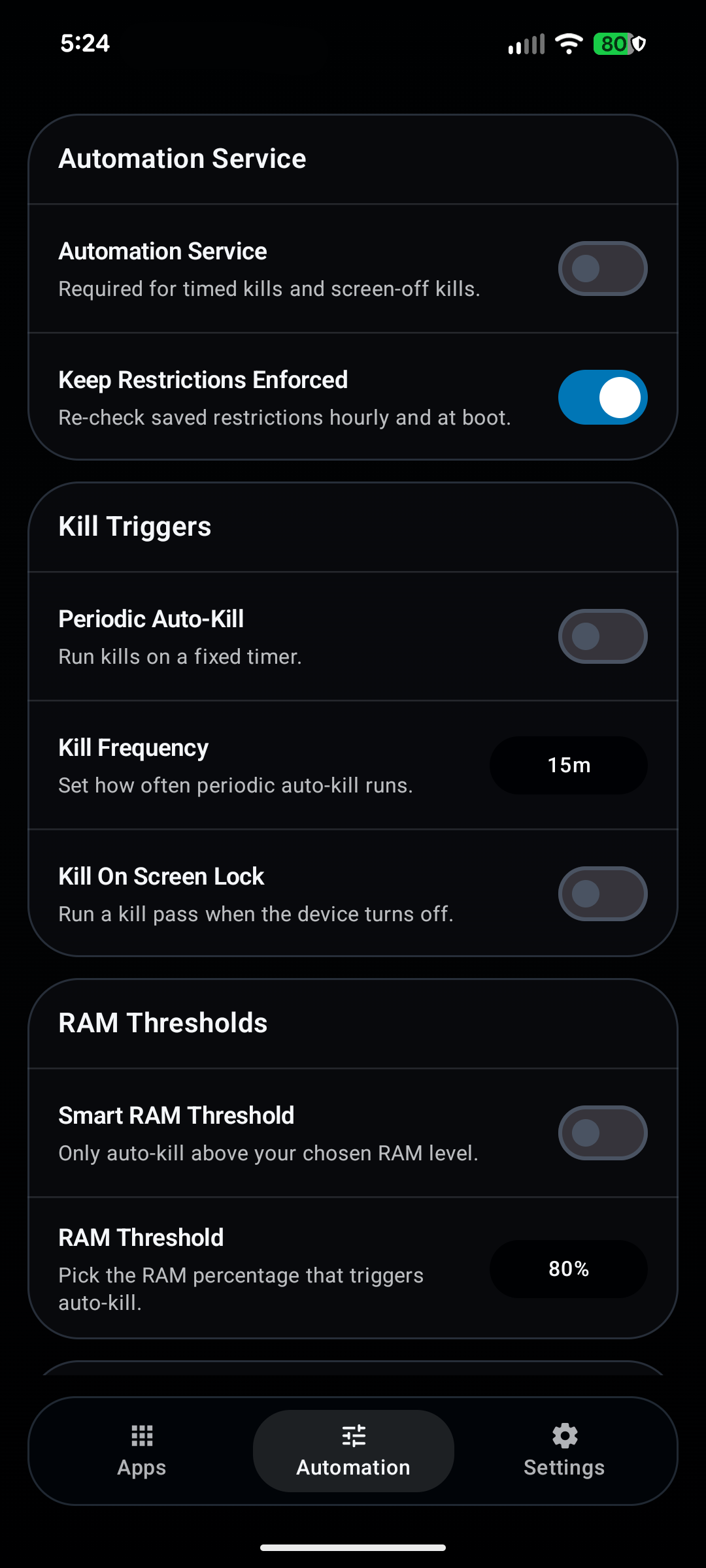
Run cleanup on a timer, when the screen turns off, or only when RAM gets tight. Set it up once, adjust it when needed, and let it handle the rest.
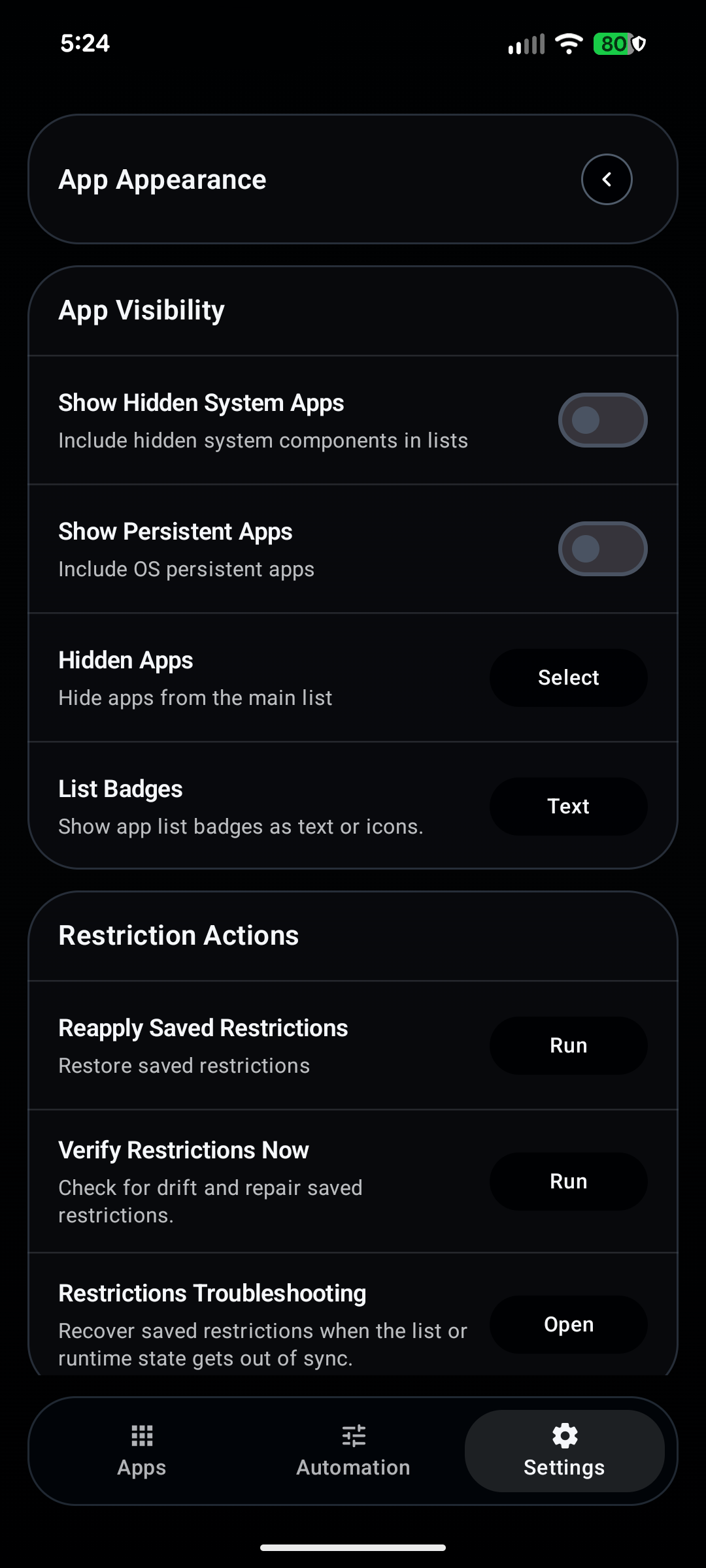
Save a restriction list, reapply it later, verify drift, and temporarily lift selected apps when they need a short exception window.
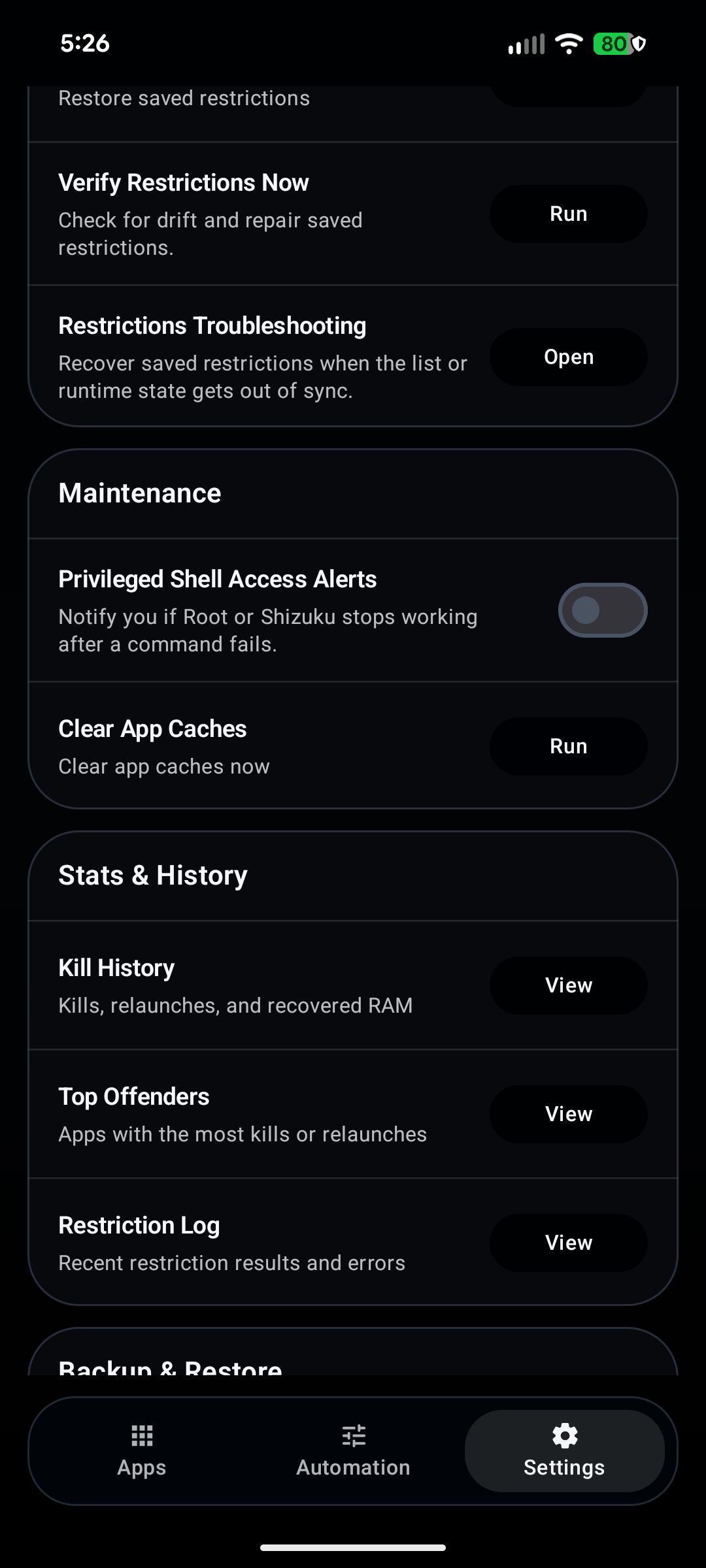
History, logs, status screens, backups, updates, shortcuts, and recovery tools are all built in, so you can see what happened instead of guessing.
Tasker And MacroDroid
The app exposes automation-friendly actions so you can trigger foreground kills, background kill runs, restriction actions, temporary lift windows, and the built-in automation controls from your own setup.
Screenshots from the app
You do not have to dig through layers of menus to get to the important controls.
Before you install
The website does not handle checkout. Install it from GitHub Releases, open the app, and start from there. If you keep using it, buying it helps fund updates and maintenance.
FAQ
It is a paid Android app for force-stopping apps, automation, background restrictions, and a few related tools.
No. It does not pretend to magically fix Android. It gives you exact control over app kills, cleanup, and restrictions.
Yes. The core kill and background-restriction features need shell access.
Yes. You can export and import Process Warden backups, and legacy Appzuku backups are supported too.
You can check for updates and install them through the app.
Yes. Process Warden exposes automation-friendly actions for kill runs, restriction actions, temporary lifts, and related controls.
It is just the website domain. Process Warden is still the app name.
Yes. Download the APK from GitHub Releases, install it, and start the trial from inside the app.